YesWeHack
Pull your YesWeHack programs and their scope into Hugin, then take a confirmed finding to a submitted report without leaving the tool — Pro.
The YesWeHack integration closes the loop between finding a bug and getting paid for it. Pull the programs you hunt, read their rules, lift their scope straight into your project, then write and submit the report — all inside Hugin, no browser tab, no copy-paste. It's a Pro feature; open it from the Plugins group in the sidebar.
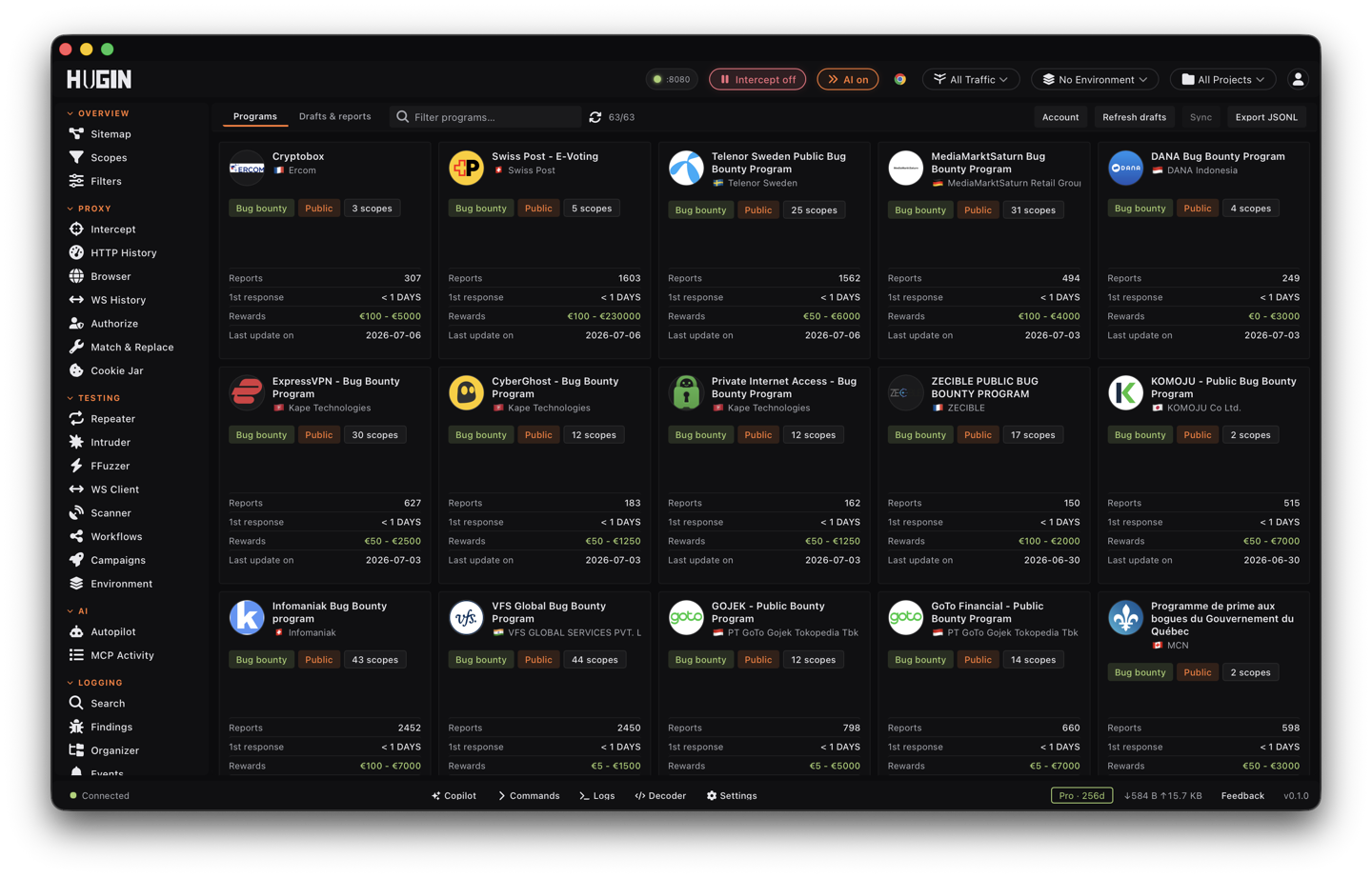
Public programs load without signing in. To see your private invites, submit a report, or check where you rank, connect your account first.
Connect your account
The session panel takes either of YesWeHack's two auth methods. Tokens stay on your
machine in ~/.hugin/yeswehack.json, locked to your user and kept out of logs.
Enter your email and password. If your account has two-factor authentication (2FA), add the time-based one-time password (TOTP) code, or store the TOTP secret once and Hugin generates the code on every login. The JSON Web Token (JWT) auto-refreshes within 10 minutes of expiry, so a long session won't drop mid-report.
Prefer a token? Set a YesWeHack personal access token (PAT) under Settings →
Platforms. Hugin sends it as X-AUTH-TOKEN and falls back to it whenever no live
JWT is present.
Check session expiry, or hit Get my IP to see the source address YesWeHack sees you from — useful when a program restricts testing to a fixed egress.
Browse programs and read the rules
The grid lists every program you can see; filter it by name. Open one and the detail panel carries everything you need before you touch the target:
In-scope and out-of-scope assets, the program rules, qualifying and non-qualifying vulnerability types, hunting requirements, and any required user-agent.
The reward grid broken out by severity and asset value, so you know what a bug is worth before you spend a day on it.
The program's hacktivity feed and hall-of-fame ranking, paged on demand.
Load the program's report template and required fields so your draft matches what the triager expects.
Import a program's scope
Pull the program's targets into your project's scope before you send a single request, so the Proxy, Scanner, and Intruder all stay inside the rules from the start.
Pick the program
Select the program whose scope you want to test.
Import all scopes
Import all scopes reads the program's asset list and turns it into Hugin scope patterns. Web assets — web applications, URLs, APIs, wildcards, and bare hostnames — become include rules; anything the program marks out-of-scope becomes an exclude. Non-web assets (mobile binaries, source repos) are skipped.
Wire it into a project
Send the patterns to a project's scope, or spin up a new project around them. From here your testing is fenced to the program automatically.
The program scope is the authorization boundary for the bounty. Import it before you test and keep every tool inside it — out-of-scope traffic is unpaid at best and a rules violation at worst.
Draft a report from a finding
A finding is the raw material; the report is what you hand the program. The fastest path starts in Authorize: a Broken Access Control (BAC) finding has a Report to YesWeHack action that drops you into the report form with the title, the bug type (mapped to the right Common Weakness Enumeration (CWE) bucket), a description built from the evidence, the endpoint, and the scope URL all pre-filled. Review it and submit.
For any other finding, confirm it first — reproduce the bug, mark it Verified — then carry its proof into the report form. Findings can also draft a full submission with AI, which you paste straight in.
Build the report
The form mirrors the YesWeHack report schema. Fill what the program requires:
Title, vulnerability type, the affected scope asset, endpoint, vulnerable part, and a Markdown description with a Write/Preview toggle. Optional fields cover the payload, technical environment, application fingerprint, and a related CVE.
The built-in Common Vulnerability Scoring System (CVSS) v3.1 calculator turns your vector into a score and severity rating — no external calculator, no math by hand.
Attach a local capture to the draft and Hugin scrubs Authorization, Cookie, and
Set-Cookie headers out of it before it leaves your machine; the cap is 25 MiB. Upload to
YesWeHack to get an embed reference (YWH-RXXX) — paste {YWH-RXXX} for an inline
image or YWH-RXXX for a link.
Chain the report to a previously submitted one when the impact only lands as part of a sequence.
Save Draft keeps it local; Submit sends it to YesWeHack. Submission requires a title, description, CVSS vector, and scope asset. If a submit drops on a flaky connection, retrying re-files the same report instead of filing a duplicate.
Track report status
Sync reconciles your local drafts with what YesWeHack holds: it refreshes each report's status — new, accepted, duplicate, fixed, won't fix — and pulls in reports you filed elsewhere as read-only rows, so the list is your whole bounty pipeline in one place. Filter by status, and export every draft as JSON Lines (JSONL) to pipe into your own tracking.
Drop to Community and your saved session and drafts aren't deleted — the store goes read-only until you upgrade again, so nothing is lost.