DOM Invader
Hunt client-side bugs — prototype pollution, postMessage abuse, DOM clobbering, and sink mapping — from captured traffic or a live browser. (Pro)
Client-side bugs don't show up as a suspicious response in History — the vulnerable code runs in the victim's browser. DOM Invader hunts them where they live: it scans what you've already captured for client-side attack surface, and it probes a live page with a canary to prove which inputs actually reach a sink.
It is the DOM Invader tab inside the Browser view (Pro).
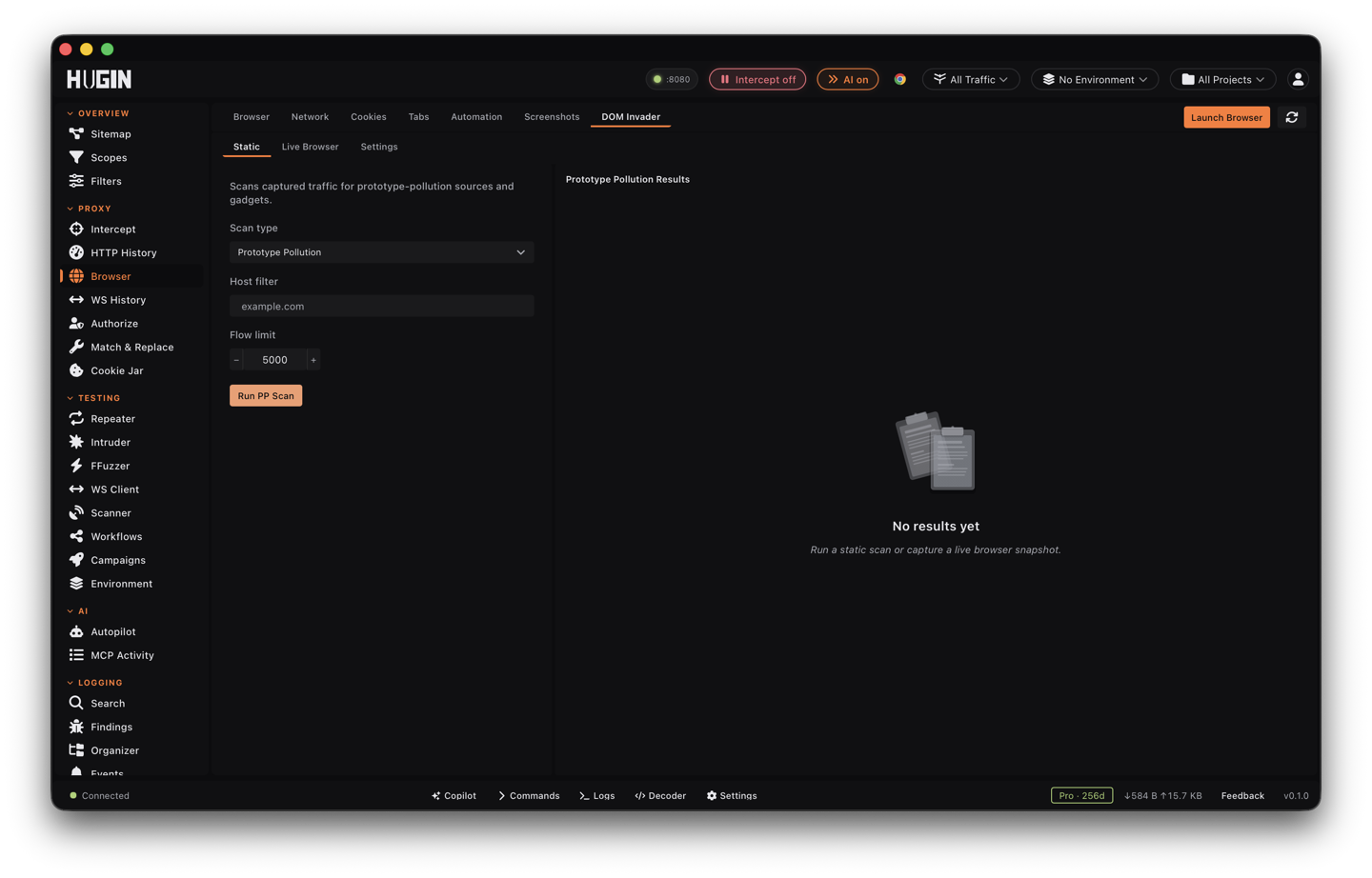
Static — scan what you already captured
The Static tab runs 4 analyses over your captured flows. Set the Host filter to the target, pick an analysis, and run it:
Run PP Scan looks through captured requests and messages for
prototype-pollution sources and evidence of sink-adjacent gadgets — the
__proto__ and constructor-chain inputs worth attacking.
Run postMessage Probe extracts the page's message listeners from captured browser traffic and builds safe probe vectors against them — the fast way to find a listener that trusts any origin.
Run Clobbering Scan finds clobbering candidates in the observed markup and gives you injection templates to test them with.
Map DOM Sinks maps captured flows to DOM sinks — turn on Include DOM sources to get the source inventory too, a one-shot review of the page's client-side attack surface.
Static scans need no running browser — they work off History, so you can run them after the fact on anything you've proxied.
Live — canary in a real page
The Live Browser tab works inside a running browser session — launch one from the Browser tab first, or the actions will tell you to.
Enable canary injects DOM Invader's canary into the live page. Browse the target as normal; when the canary value flows into a sink, you have a confirmed source-to-sink path instead of a guess. Scan Gadgets hunts prototype pollution gadgets in the live page, and Probe postMessage fires probes at the live listeners.
Settings
The Settings tab sets the canary name and value (Randomize generates a fresh one — do that per target so a cached old canary can't confuse a result) and toggles the live instrumentation: postMessage interception, Source injection, Prevent redirects (stop the page navigating away mid-test), Redirect breakpoint, and Callback debugger.
Static first, live second. The static scans tell you which pages have listeners, gadgets, and sinks worth your time — then you spend the live session on the one page where the canary can prove the bug.