Match and replace
Rewrite, re-sign, drop, flag, or delay traffic automatically — from a one-line string swap to JWT and HMAC re-signing, JSON/XML/cookie edits, and 27 built-in transforms, scoped per host and per tool.
Match and replace is Hugin's live rules engine. A rule watches traffic and acts on every flow that matches — no clicking. Open it from Proxy → Match & Replace. There are two tabs: Quick Rules for simple rewrites and Advanced Rules for conditions and actions beyond a string swap.
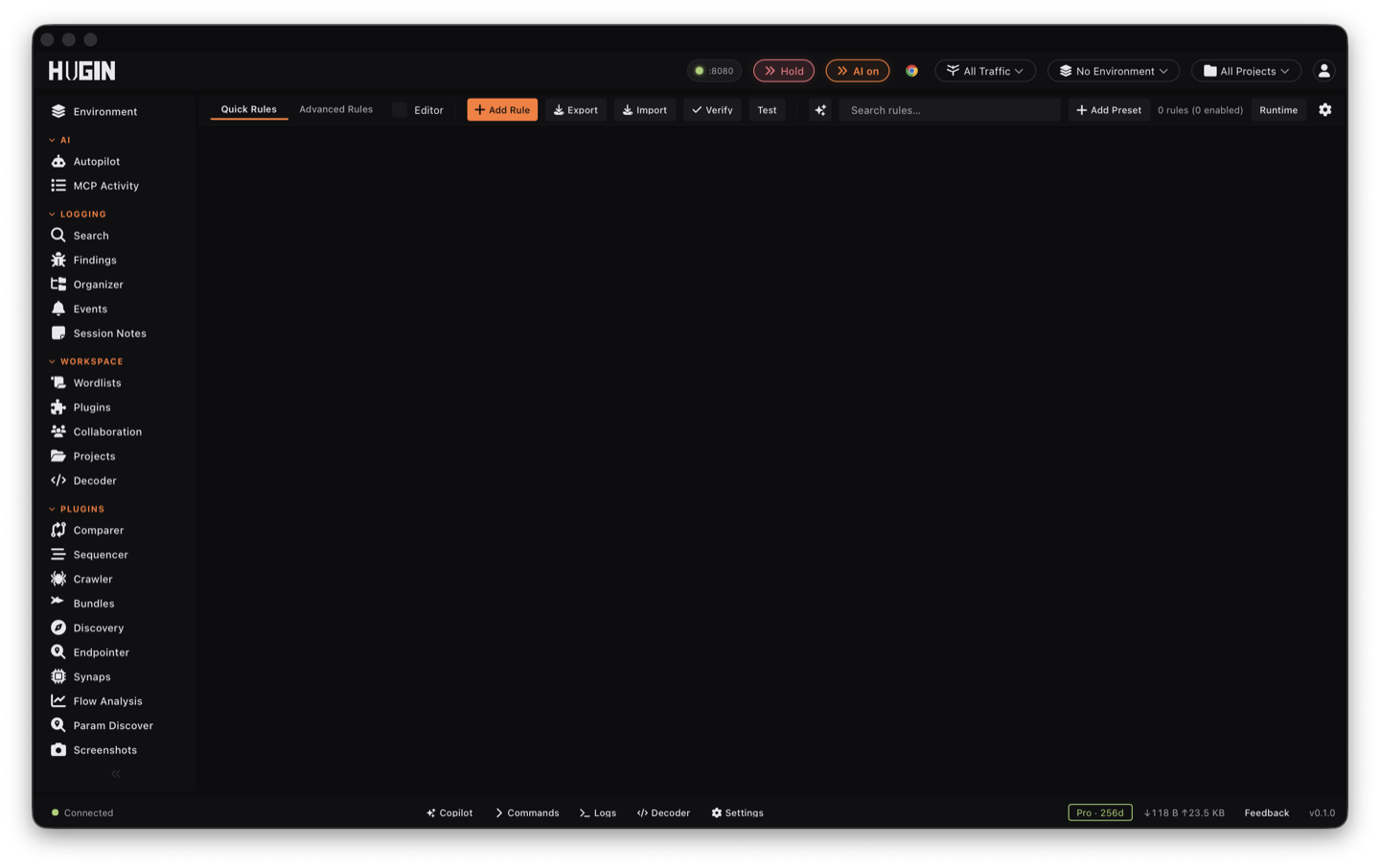
Quick rules
A quick rule is one row: pick a target, give a match and a replacement, toggle it on. The target is the exact part of the flow you touch:
- Request: Raw, Method, Path, Query, First Line, Header, Body, SNI.
- Response: Raw, First Line, Status Code, Header, Body.
- Header shortcuts: Add Request Header, Remove Request Header, Add Response Header, Remove Response Header — insert or delete a header without searching.
For the search targets the match is a literal string or a regex, and each rule
carries its own flags: case sensitive (on by default), multi-line (^/$
match at line breaks), dotall (. matches newlines), and occurrence
(replace the Nth match, or leave empty to replace all).
The replacement is either a literal string — with $1 / ${name} capture-group
references in regex mode — or one of the built-in transforms. See
replacement transforms below.
Each quick rule also takes an optional condition in HTTPQL, the same query
language as the Logger filter bar (host:*.api.target method:POST status:4xx req.body:password). Whitespace-separated tokens are AND-ed, ! negates, and an
empty condition means the rule fires on every flow it targets. A quick rule is as
scoped as you make it — it does not blindly fire on all traffic.
By default a quick rule only touches Proxy traffic. Per-tool toggles carry it to Repeater, Intruder, Scanner, and WebSocket — see scope.
Pick the narrowest target. Rewriting Request Header scopes the change to headers; rewriting Request Raw runs the pattern over the whole request and is easy to over-match. Use Raw only when the text you want crosses the line, header, and body boundary.
Advanced rules: conditions and actions
A quick rule fires on every flow that matches its target and its optional condition. An advanced rule swaps that single condition for a full conditions builder, then runs an action when the conditions hold.
Conditions are a target, an operator, and a value, combined with AND (all
hold) or OR (any). Targets: Host, Path, URL, Method, Request Header, Response
Header, Any Header, Request Body, Response Body, Status Code, and WebSocket frame
direction. Operators: contains, equals, starts with, ends with, regex,
glob (*/?), is empty / is non-empty, less than / greater than (for
status codes and lengths), each with a not variant.
Actions, when the conditions match:
Apply a list of edits — set or remove a header, replace the body (text or hex bytes), append or prepend body bytes, or run a search-and-replace on the body or a named header.
Block the flow: 403 on the request side, 502 on the response side.
Pause the flow onto the intercept queue for your manual Forward / edit / Drop — targeted interception instead of pausing everything.
Tag the flow with a label so you can filter for it in History.
Pause, then release automatically after a set number of seconds — for letting heartbeats and analytics through without them filling your review queue.
Every rule applies to the request, the response, or both.
Modify is the deep one: its edit list reaches well past a header swap. What you can put in the Replace field, and everything Modify can edit, is the rest of this page.
Conditions are the safety rail. A bare Response Body rewrite hits every site you
browse; add a Host equals target.com condition so it only touches the target.
Test a new rule on one request in Repeater first.
Replacement transforms
The Replace field does more than paste a literal. Two modes:
- Literal — the replacement text, with capture-group references in regex mode:
$1,$2, or named${name}(Rust regex syntax). Pull a value out of the match and weave it back into the replacement. - Transform — run the matched text through a built-in encoder, decoder, or hash before it goes back on the wire. 27 are built in:
Base64 encode / decode, Base64URL encode / decode, Base32 encode / decode, URL encode / decode, hex encode / decode, HTML-entity encode / decode, JSON-string escape / unescape, ROT13, MD5, SHA-1, SHA-256, SHA-512, CRC32 (hex), HMAC-SHA256 (keyed from an environment variable), JWT decode (header and payload, signature dropped — for inspection and rewriting), Punycode encode / decode (for internationalized-domain-name confusables), remove control characters, and gzip + base64 encode / decode.
A transform that can't run on its input — bad base64, a non-JWT string — leaves the match untouched instead of corrupting the flow.
Tampering signed and structured fields
These edits go past a string swap: they parse the field, change it, and put it back in a form the target still accepts. They live in the Modify action's edit list (the dropdown in the Advanced editor). The signing edits are why a rewrite that would normally break a token keeps working.
Decode the JSON Web Token (JWT) in a header, edit one claim by JSON path, and
re-sign with HS256, HS384, or HS512. Flip $.role from user to admin, push out
$.exp, or swap $.sub for another user's id — and the token still verifies. Works
on a bare token or a Bearer <token> header. The signing key comes from an
environment variable (env:NAME), base64 (b64:), hex (hex:), or a literal, and
a literal key is force-redacted out of every export.
Recompute a request signature after you tamper the request, so a server that rejects
unsigned edits accepts yours. The template fills in {method}, {path}, {host},
{body_hash}, and {ts}, signs with a hash-based message authentication code (HMAC)
keyed from an environment variable, and writes the digest to the header you name.
This is how you replay signed requests past an integrity check.
Edit a value inside a JSON or XML body by path — $.user.role, $..id,
$.items[*] for JSON; //user/@role for XML — without hand-editing the whole body.
Promote a scalar to an object or null a key to probe mass-assignment and injection.
The edit is gated on the body's content type, so a malformed body no-ops instead of
corrupting traffic.
Change one field by name and leave the rest of the message intact: a query
parameter's value (or rename the key), a single cookie in the Cookie header, one
field in a form-urlencoded body, or one part of a multipart/form-data upload. Built
for IDOR and parameter-tampering sweeps where you touch exactly one value.
Rewrite or strip an attribute on a response Set-Cookie without touching the cookie
value. Drop Secure, HttpOnly, or SameSite to pull a session cookie into reach
of script or downgrade its defenses, or rewrite Domain / Path to widen its scope.
First line, binary, and body edits
The same Modify edit list rewrites the parts of a flow a body search can't reach.
First line. Set Path, Set Method, Set Status, and Set Reason Phrase overwrite the
request line or status line directly. Set Host rewrites the SNI (Server Name
Indication) the proxy sends on the upstream TLS connection and leaves the HTTP Host
header alone — point the handshake at a content delivery network (CDN) edge while
Host still names the backing virtual host, the setup domain fronting needs. Each
has a regex sibling (Search & Replace Path / Method / Status / First Line / SNI).
Binary. Binary Search & Replace (hex) and Binary Header Value (hex) match and rewrite raw bytes by hex, with no UTF-8 assumption — the path for protobuf, gRPC, MessagePack, and custom binary framing where a text rule would mangle the bytes. Replace / Append / Prepend Body (hex) inject raw byte payloads.
Body from a file. Replace, Append, or Prepend Body from File pulls a large XML, JSON, or multipart payload off disk (resolved under a sandboxed root) so the rule stays a stable one-liner while you edit the payload as a normal file.
Header lifecycle. Comment-Out Header disables a header by renaming it (with an
X-Hugin-Disabled- prefix) instead of deleting it, so the mutated flow still shows
exactly what you suppressed; Uncomment Header puts it back. Testing-by-omission
without losing the evidence.
Forensics. Capture Body to File writes every matching body to disk for offline analysis; Tag Flow labels the flow without stopping the rest of the rule chain (cheaper than Flag, which short-circuits). When no built-in edit fits, Bambda Script runs a sandboxed Lua transform over the request or response for conditional logic and multi-field rewrites in one pass.
Add Delay sleeps up to 60 seconds before forwarding a flow. Use it to widen a race window, trip a rate limiter, or reproduce a timing attack — but a rule that delays everything backs up the proxy, so scope it tight.
Scope: the prefilter before conditions
Scope is a cheap gate that runs before any condition, so a 50-rule set doesn't evaluate every condition on every flow. Set it in the Advanced editor's scope fields:
A host glob (*.api.target.com), a URL regex, and an HTTP-method list. Each include
filter has a negate switch, so you can say everywhere except this host, or anything
but DELETE, without writing the negation into a regex.
Response status ranges, a content-type glob (application/json), and a body-size
floor and ceiling. Pair a content-type glob with a size ceiling to run a response
rewrite only on JSON under, say, 2 MB and skip a 200 MB download.
A client-IP CIDR range (IPv4 or IPv6) and a User-Agent glob — gate a rule to mobile traffic, one browser, or a known bot. Both fail closed: a flow with no client IP or no User-Agent counts as a non-match.
Which surfaces the rule fires on. By default a rule touches Proxy traffic only, so a casual rewrite never silently distorts your fuzzing. Opt in to Repeater, Intruder, Scanner, and WebSocket to carry the same edit across every tool — inject an auth header into every Intruder request, or normalize a token on Repeater replays.
Scope is the coarse filter; conditions are the fine logic. You can also tie a rule to the project scope so it only fires on in-scope hosts without retyping the target into every rule.
Rule lifecycle
Every rule carries controls for how long it lives and how loud it is. Set them in the Advanced editor.
Skip the Content-Length and Transfer-Encoding resync after a body edit, so the
rule ships a deliberately desynced framing pair (CL.TE / TE.CL / TE.TE). This is the
switch for HTTP request smuggling — leave it off for every normal rule.
Evaluate the rule and count hits, but pass traffic through untouched. Stage a rewrite against live traffic and confirm it matches what you expect before you arm it. Watch the gap between hits and mutations on the stats panel to catch silent fires.
Auto-disable the rule after a lifetime fire count, at a wall-clock expiry time, or rate-limit it per minute. Fire on the first N matching flows then stop, or time-box a debugging session so a stale rewrite isn't still firing next week.
Make one rule depend on another: it fires only if the named rule fired within the last N milliseconds on the same host. After the login rule fires, rewrite the response body for 30 seconds, then it goes quiet on its own.
Fire transparently on gzip and deflate responses by decoding before the match and re-encoding after. Redact replacement values and secrets — HMAC keys, JWT signing material, file paths — from export and read-out surfaces so a shared rule never leaks its key.
Test, import, and export
Test before you arm it. The Advanced editor has an inline test: pick a captured flow from the Logger (or paste a flow ID, or fall back to a synthesized sample) and Hugin shows the before and after raw HTTP with the changes highlighted, so you see exactly what the wire will carry before the rule touches real traffic.
Read the health badge. A rule that matches flows but never changes them gets a warning badge on its row telling you why: a regex that won't compile (the rule fails closed on every flow), a needle that isn't in the targeted field (check case and whitespace), a non-text body (gzip or binary — switch to Binary mode), or a pattern that blew the per-body match cap (narrow it). A silently broken rewrite stops being a mystery.
Import and export. Export your rule set as a signed envelope — the records plus a signature and the public key. Verify checks that signature on any envelope you receive, so a rule pack you didn't write can be proven untampered before you trust it. Imports land disabled by default, so loading a pack never starts rewriting your traffic the moment it lands; review, then enable.
WebSocket frames
The same engine rewrites WebSocket traffic: a rule whose condition targets an outbound or inbound frame rewrites the payload live. See intercepting traffic for the request and response side.