Extensions and Synaps modules
Add your own logic with sandboxed Lua hooks, or install sandboxed Synaps WASM scanner modules. (Pro)
Hugin's behaviour isn't a fixed list. You can hook the proxy with Lua and add scanner checks with WASM modules. Both are Pro features, and both run sandboxed.
Lua extensions
A Lua extension registers against hook points and runs in a sandbox (instruction and memory limits, a timeout, and a permission model). The hook points cover the whole pipeline:
- Traffic:
OnRequest,OnResponse— the only hooks that can modify a flow in flight. - WebSocket:
OnWsMessage(and a blocking variant),OnWebsocketOpen,OnWebsocketClose. - Scanner:
PassiveCheck,ActiveCheck,OnScanResult. - Flow + access control:
OnFlowCapture,OnBacSignal,OnBacFinding. - Infra:
OnProxyError,OnTlsHandshakeFailure.
Each extension declares the permissions it needs — ReadFlows, ModifyFlows,
NetworkAccess, SecretsRead, EnvAccess, FileSystem, SystemCommands — and
is gated to those.
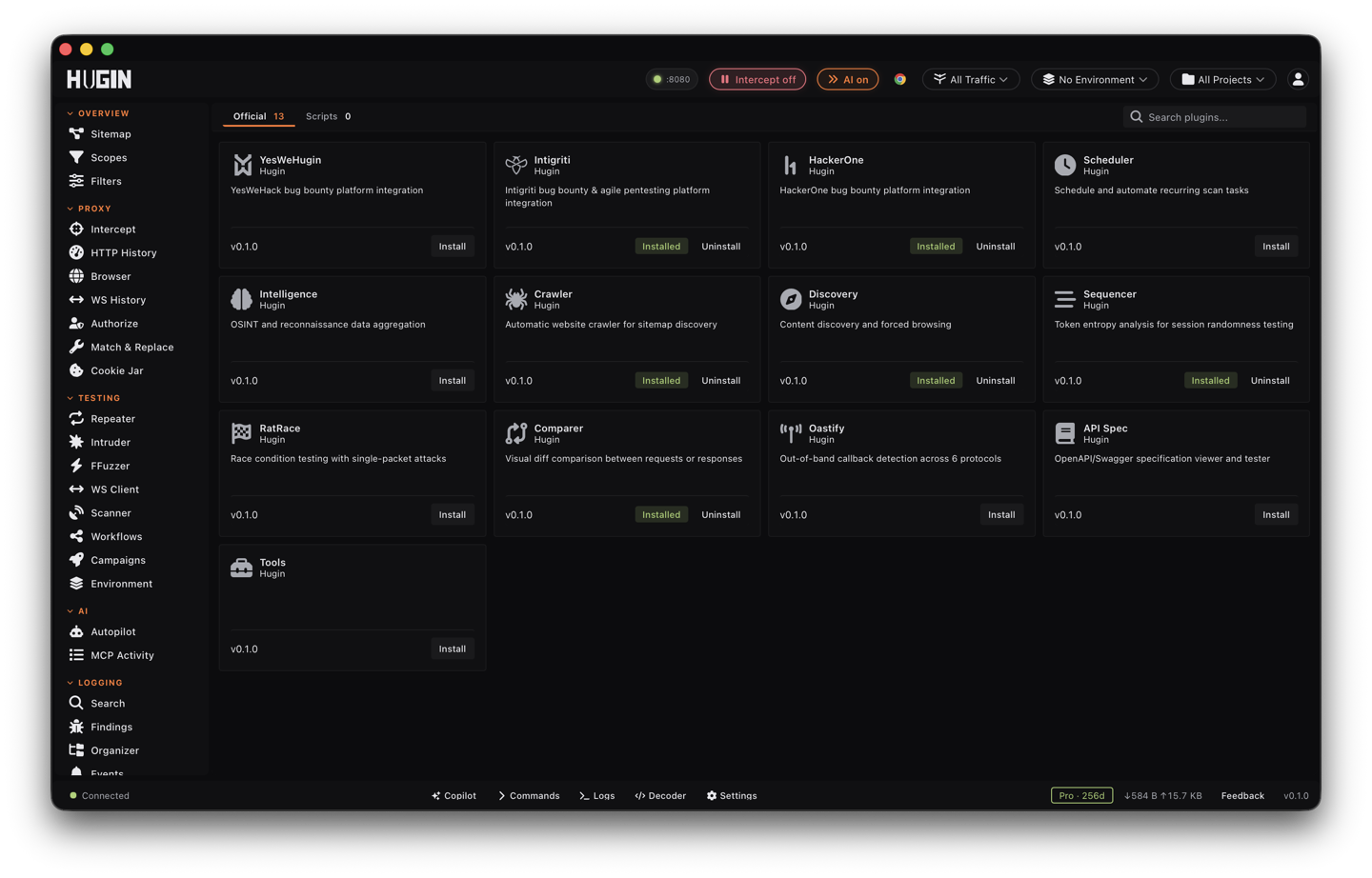
The Plugins view
Extensions are managed from the Plugins view, split into two tabs:
- Official — a curated catalog of ready-made Lua extensions, browsable by category (scanning, encoding, automation, logging). It includes the staples you'd otherwise write yourself: a JWT decoder, a passive SQLi scanner, a CSRF token detector, an IDOR hunter, a passive XSS detector, a Base64 auto decoder, a request logger, a Slack notifier, and more. The install dialog lists every permission the extension requests before you approve it — read that list; it is the whole sandbox contract.
- Scripts — your own Lua, written and edited in-app. API Docs toggles the Lua API reference right in the view, and an AI generate action drafts an extension from a plain-language description of what you want hooked.
Synaps WASM modules
Synaps is the community scanner-module system. Modules are third-party Rust compiled to WebAssembly and run under a Wasmtime sandbox (a fuel limit, a 16 MB memory cap, an execution deadline), so running someone else's check never means running native code on your box. Install one and it joins the Scanner:
hugin scanner install <id>
(hugin scanner list / update / remove manage them.)
In the UI, the Synaps view has three tabs: Installed (your modules, with status, version, and author), Catalog (browse the community catalog and install per row — the catalog ships bundled with Hugin, so browsing works offline), and Templates.
Nuclei templates
The Templates tab runs Nuclei-compatible YAML templates against a target — paste a template you wrote or one from the public nuclei ecosystem:
Paste and validate
Set the Target URL, paste the template into the YAML editor, and click Validate. Validation tells you up front which template features Hugin does not support, instead of failing mid-run.
Run
Click Run. The result shows the requests sent, the matched severity, and an Unsupported count for any template clauses that were skipped.
Save it
Save adds the template to Saved Templates, so a check you reach for on every engagement is one click away next time.
Turn a manual finding into a check. The first time you exploit a quirk by hand is research; the second time should be a Lua hook or a Synaps module doing it for you.