Your first intercepted request
From a fresh install to a request you have captured, edited, and replayed against a target.
The whole loop: trust Hugin, route your browser through it, capture a request, and send it to Repeater.
Trust the CA certificate
Run
hugin ca export(orhugin ca trust) and trust the certificate, so HTTPS decrypts. Full steps in CA certificate.Point your browser at the Proxy
Set your browser's HTTP and HTTPS proxy to
127.0.0.1:8080. A separate browser profile or a proxy-switcher extension keeps this off your normal browsing.Browse the target
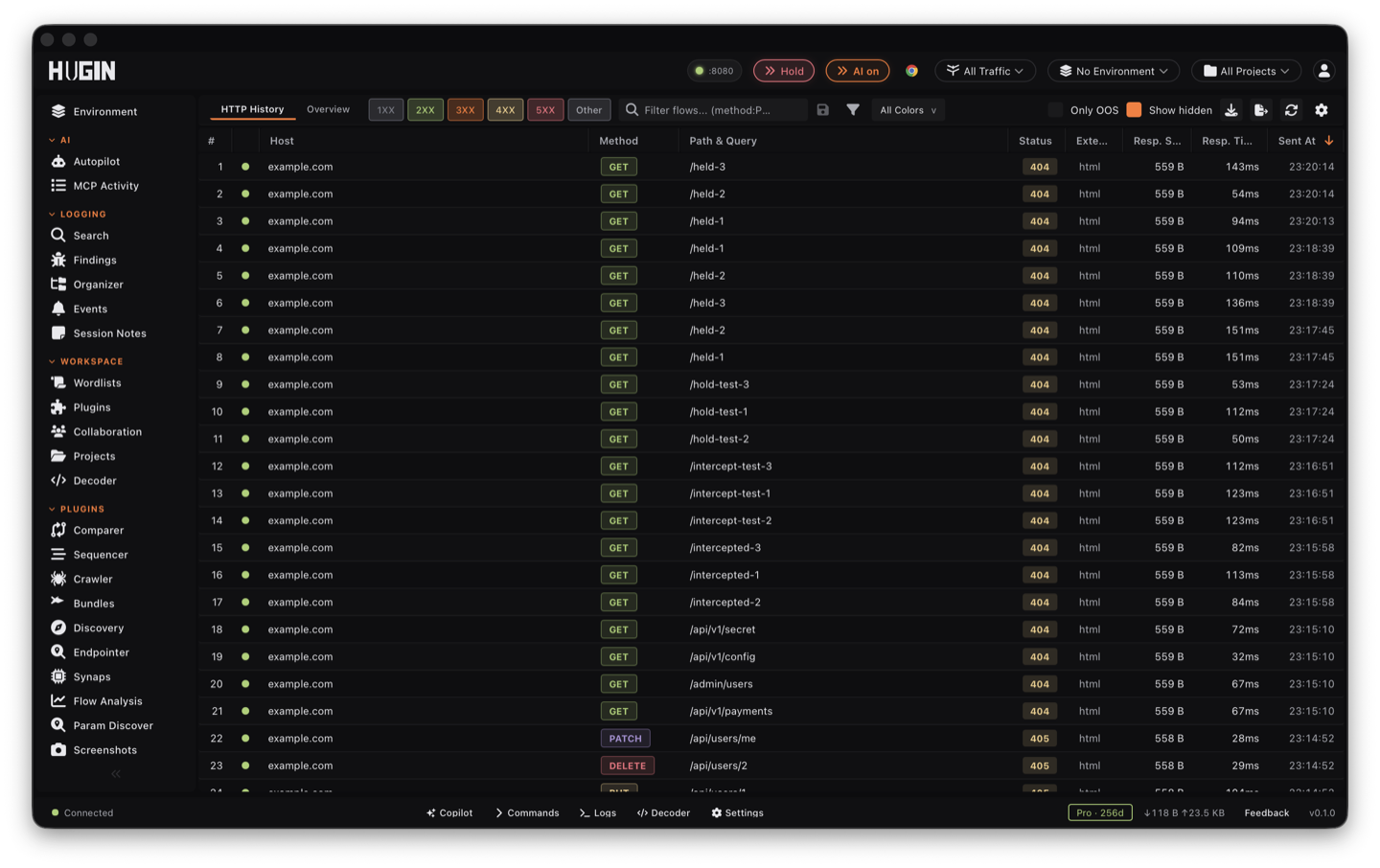
Load the target and click around. Every request and response is captured as a flow and listed in HTTP History.
Send a flow to Repeater
Right-click a flow in History and choose Send to Repeater. Change a parameter, header, cookie, or the method, then send it again and read the response. That is the core of manual testing.
Where to go from here
The live flow list. Filter it with scope so you only see the target.
Replay and tamper with one request, with tabs, saved versions, and a render-in-browser preview. See Repeater.
Run active and passive checks against a flow or a host. See Scanner.
Or pause requests mid-flight to edit them before the server sees them — see intercepting traffic.