Browser automation
Drive a real browser through Hugin to reach authenticated, JavaScript-heavy attack surface — security overrides, anti-bot bypass, DOM-XSS verification, and 80+ scriptable actions. (Pro)
Some attack surface only appears in a real browser: a SPA that builds requests in JavaScript, a flow behind a login and three clicks, a page that needs a rendered DOM. Hugin can drive a browser for you, and every request it makes flows through the Proxy into History like any other. Browser automation is a Pro feature.
The browsers
Hugin drives four kinds of browser:
Standard Chrome over the Chrome DevTools Protocol (CDP).
Gecko-based browsers driven over Marionette.
Hugin's own self-contained browser — no separate browser install needed.
A lightweight JS-only mode with no rendering — the fallback when a full browser isn't available.
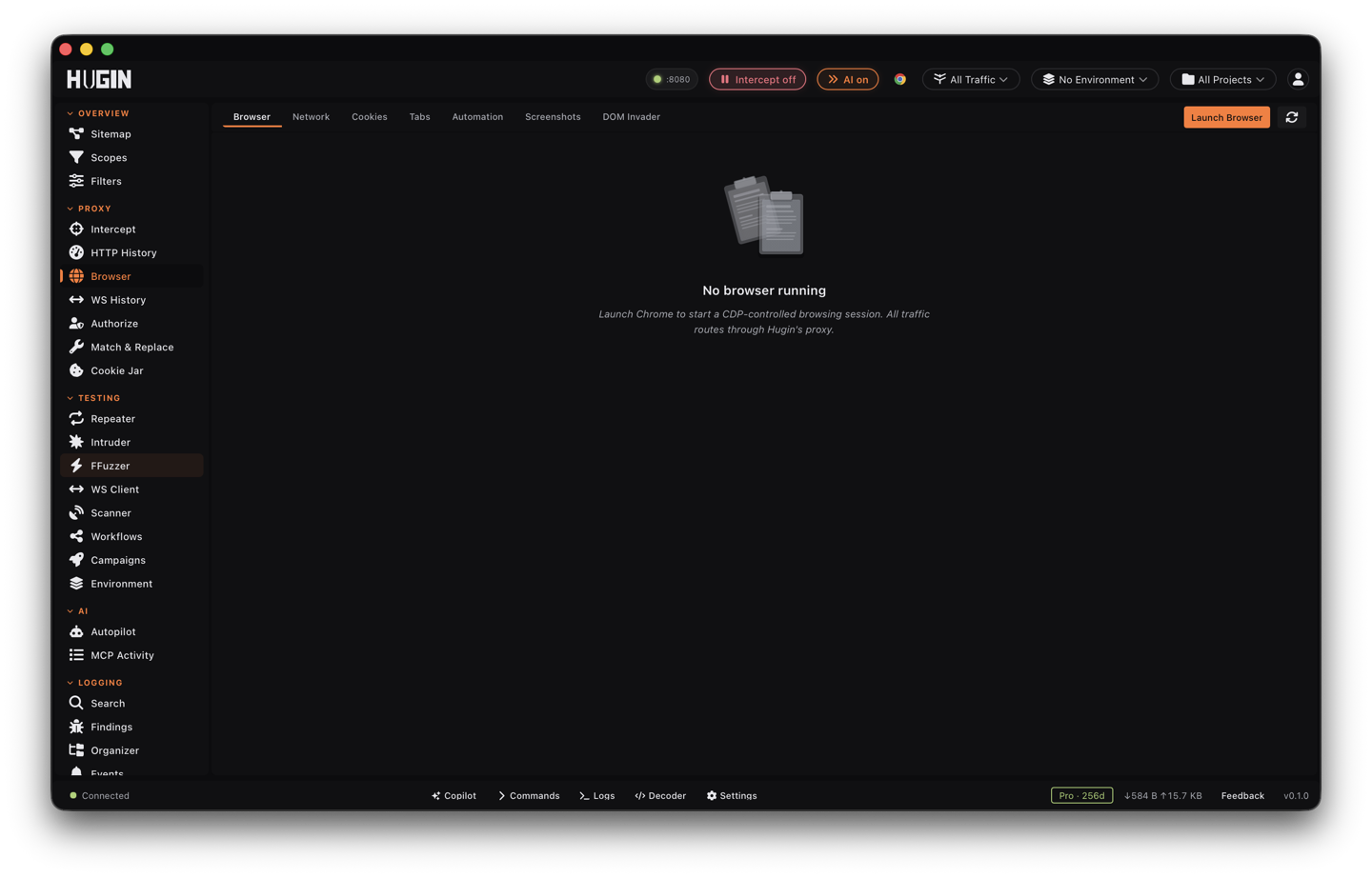
The Browser view
The view is split into 6 tabs: Browser (the live session), Network (its requests), Cookies, Tabs, Automation, and DOM Invader for client-side bug hunting.
Driving it
You don't speak CDP or Marionette directly — Hugin wraps them. Drive the browser
by hand from the Automation tab, or have an AI agent call the browser MCP
tool with an action — launch, navigate, click, type_text, exec_js,
screenshot, get_cookies, and dozens more. Scripts can hit the same surface
over the /api/browser/* REST endpoints. The actions below are the ones that
change what an attack can reach.
The high-value actions
Drop the browser's own safety rails so a client-side proof-of-concept actually runs: switch off Content-Security-Policy (CSP), X-Frame-Options, HTTP Strict Transport Security (HSTS), Cross-Origin Resource Sharing (CORS) checks, or mixed-content blocking. A reflected payload CSP would have killed, or a framing PoC X-Frame-Options would have blocked, now fires so you can capture the result. It is a deliberate, gated switch — Hugin makes you opt in before it will weaken the browser's trust posture, so it never trips by accident.
Kill requests by regular-expression pattern before they leave the browser. Point
it at an anti-bot vendor's beacon or telemetry endpoint and the page loads without
ever phoning home — the fingerprint POST or challenge script never fires.
unblock_url lifts the pattern again.
Add headers to every request the browser sends — an X-Forwarded-For, a forged
auth header, a custom routing header. Hugin refuses CR/LF/NUL and its own reserved
names, so you are injecting headers, not splitting requests.
Send a request from inside the live browser context, through its cookie jar and
TLS fingerprint. Because it carries your real authenticated session and looks like
the browser on the wire, a web application firewall (WAF) or anti-bot that blocks
a raw HTTP client lets it through. fetch runs one request; fetch_all batches up
to 256 URLs in a single call.
Pull everything the browser actually loaded, background API calls included.
network_har exports the session as an HTTP Archive (HAR) file you can read or
hand off; network_stream tails network events live, bounded by a wait window and
an event cap. Good for catching the one background call a SPA makes that never
shows up in the page itself.
Install a script that runs before any of the page's own JavaScript. Use it to plant taint hooks, spoof a fingerprint, or stub a function the page checks on load — anything that has to be in place before the app boots, not after.
Prove a DOM-XSS sink fires
Finding a sink that looks reachable is not the same as proving your value reaches
it. Two browser actions close that gap on a Chrome (CDP) session, where Hugin's
sink hooks live — run them against Chrome, not the Hugin Browser's own engine,
which has no DOM sink hooks.
Install Hugin's taint hooks before the page's scripts run. They watch every
dangerous DOM sink — innerHTML, document.write, eval, and the rest — and
flag the moment a value you control reaches one. You drive the page; Hugin tells
you where your input lands.
Hand it the page URL, the source value, and your canary. Hugin drives the browser
and returns a verdict: executed (your payload fired in the sink),
not_observed (it didn't), or browser_error. A hard yes/no instead of "this
looks exploitable".
For interactive client-side hunting — watching sources and sinks light up as you click — use DOM Invader.
Get past anti-bot
Anti-bot defences — DataDome, Cloudflare, and the like — block the raw HTTP
client, not the real browser. Drive the real browser and the same requests go
through. Two MCP tools cover this, alongside the browser actions above.
The antibot tool
Fire many authenticated requests at once through the browser's own fetch() and
cookie jar. They carry your real session and the browser's TLS fingerprint, so a
WAF or anti-bot that drops a scripted client lets them through. It stops on the
first 403/429 so a block doesn't cost you the whole session.
Name what's guarding the page — DataDome, GeeTest, hCaptcha, reCAPTCHA, Cloudflare
Turnstile, or a generic block page — and whether a datadome cookie is already
set. Know what you're up against before you spend effort on it.
Watch session health while you work. cookie_check tells you whether your cookies
still authenticate or have hit a 403/CAPTCHA wall; monitor runs a long scrape
across batches, spots a block as it happens, and tries to recover instead of
failing the whole run.
The datadome tool
DataDome serves a silent JavaScript interstitial a pure-HTTP client can't pass — its challenge script has to run in a real engine to mint a valid fingerprint.
Drive a real Chrome through the interstitial so DataDome's own challenge script
runs in a live V8 engine, then harvest the verified datadome cookie into the
shared jar. Repeater and every jar-aware tool carry it automatically from then
on — solve once, replay at HTTP speed.
Prove a datadome cookie actually clears the target: a Chrome-TLS GET that comes
back 200 with no challenge body. Confirms the cookie works and is portable to your
pure-HTTP requests.
Mine your captured traffic for DataDome artifacts — the challenge bundle, the
fingerprint POST body, the inline var dd= config — and save them so you can
reverse-engineer the payload.
Check whether DataDome is challenging a given page before you commit to a solve.
To make the browser look like a real one to these defences in the first place — TLS and JA3/JA4 mimicry — see fingerprinting.
Every action here runs two ways: by hand from the Browser view, or from an AI
agent over MCP — the browser actions through the browser tool, the anti-bot work
through the antibot and datadome tools. To let an agent chain them into a
multi-step flow, see MCP.