Repeater
Replay and tamper with one request by hand — saved versions, smuggling and desync templates, race and burst sends, and per-send control of transport, proxy, framing, and TLS.
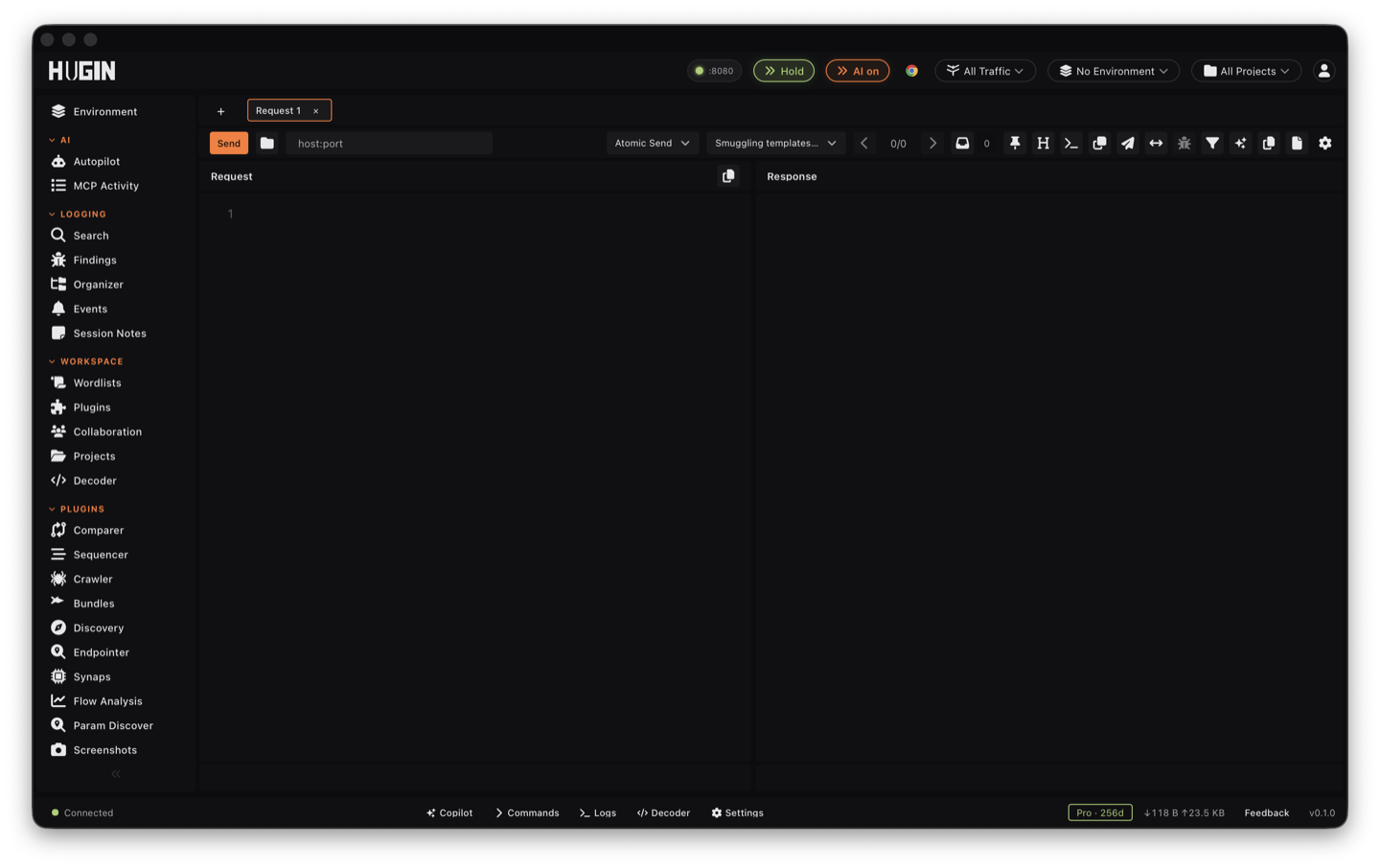
Repeater is where you work one request by hand. Send a flow to it, change something, send again, and read the response. Hugin's Repeater is a multi-tab workbench — one tab per idea — and records every send in the tab's history. It is part of the free Community tier.
The loop
Send a flow to Repeater
Right-click any flow in History → Send to Repeater. The full request opens in an editor (Pretty / Raw / Hex).
Tamper and send
Edit the request and Send. The default Atomic send fires the current tab once; read the response beside the request.
Compare across versions
Every send lands in the tab's history — step back and forward through past sends. Save a send as a version to keep it in a tree you can rename, revert to, or diff line by line against another.
Send modes
The Send button has three modes, set by the dropdown beside it.
Send the current tab once. The default.
Fire several tabs at the same instant through a barrier — every request leaves on one starting gun. The reliable way to land a race that spans more than one endpoint.
Fire several tabs concurrently, up to a limit you set — GroupParallel concurrency (1-64), default 16. Burst one endpoint without a strict barrier.
For a single request, the Turbo single-packet toggle writes the whole HTTP/1.1 request to a fresh socket in one operation, so it leaves in a single TCP segment when the maximum segment size (MSS) allows — the last-byte trick for races and smuggling. For Hugin's dedicated race engine (single-packet over HTTP/2, last-byte sync, barrier), see race conditions.
Request smuggling and desync
By default the Direct client owns framing: it strips your Connection,
Transfer-Encoding, and Content-Length and recomputes its own. Turn on
Preserve framing headers (CL/TE/Connection) to ship those three exactly as
typed, so a CL.TE / TE.CL / TE.TE mismatch reaches the wire intact. A few truly
connection-scoped headers (TE, Upgrade, Trailer, Proxy-*, Host) are
always normalised — for byte-perfect control over those, send through the raw TCP
pipeline or turbo single-packet, which write your editor bytes straight to the
socket with no client normalisation.
The template dropdown prefills a working desync body and flips preserve-framing on for you:
Content-Length plus chunked — the front-end trusts Content-Length, the back-end
trusts Transfer-Encoding.
Chunked plus Content-Length — the same split, reversed.
Two Transfer-Encoding headers, one of them malformed, so one hop in the chain
ignores it and the other does not.
An HTTP/2 request carrying a smuggled HTTP/1 request in its body, for a front-end that downgrades HTTP/2 to HTTP/1 for the back-end.
Edit example.com, the smuggled path, and the lengths to match your target, then
send.
HTTP/2 frame tuning
For HTTP/2 targets, the HTTP/2 tuning panel changes how your request hits the wire:
- Max frame size —
SETTINGS_MAX_FRAME_SIZE, 16384 up to 16777215 bytes (default 16384). A server that fragments at one boundary but not another shows a downgrade or desync seam. - Initial window size —
SETTINGS_INITIAL_WINDOW_SIZE. Raises the per-stream and connection receive window, useful when a single response carries a large body. - Adaptive window — off by default to keep race and smuggling traffic deterministic; turn it on to resize windows the way a browser does.
Raw TCP pipelining
For HTTP/1.1 desync where client-side framing gets in the way, the raw TCP pipeline opens one TCP (or TLS) connection and writes one or more complete request bytestrings to it. Two modes:
Glue every frame into one socket write so they leave in a single segment — the classic single-packet / last-byte attack.
One write per frame — for testing how a keep-alive connection orders pipelined requests.
It reads raw bytes until the server closes or the idle timeout fires, and hands you the wire dump to read byte-by-byte. No retries, no redirects, no cookie handling — deliberately low-level. TLS carries a server-name (SNI) override and an accept-invalid-certs toggle; the connect timeout, idle timeout (drop it to ~250 ms for fast tests), and total read budget are all tunable.
Send controls
Each tab sends with its own settings — nothing here touches your global config.
Dial a different host or port without rewriting the URL — point a crafted Host
at one back-end while connecting to another. A malformed port is rejected, not
silently sent to 80/443.
Off by default. On, Hugin walks every hop and shows the chain — status,
Location, per-hop latency, and each hop's headers and body. Cap it with max
redirects (default 10). On a cross-host hop it strips credential headers
(Authorization, Cookie, X-API-Key, …) so a hostile 302 never receives your
token; same-host hops keep them. 303 downgrades to GET and drops the body; 307 and
308 keep the method and body.
Recompute Content-Length from the body, rewrite Host from the URL authority,
or accept self-signed certificates — each a per-tab toggle. Turn auto
Content-Length off for smuggling so a deliberately wrong length survives.
Set the request timeout per tab (default 30s).
Route this send through an upstream proxy — http://, https://, socks5://, or
socks5h:// (remote DNS, no leak). Use socks5h://127.0.0.1:9050 for Tor, or a
Mullvad SOCKS5 endpoint like socks5://10.64.0.1:1080. Per-scheme toggles proxy
only the leg you choose (HTTP, HTTPS, or both).
A Direct send normally carries Hugin's own TLS stack, which a WAF or bot manager
can fingerprint. Turn on browser-TLS and the send goes out with a real browser's
JA3/JA4 and matching HTTP/2 — Chrome in-process, Firefox / Safari and other
profiles through the bundled TLS relay. Hugin also aligns the User-Agent when
the request carries none, since a TLS-vs-UA mismatch is itself a tell.
Chaining requests across tabs
Pull a value out of one response and feed it into the next send.
Run rules over each response and store the result as a {{variable}} for later
sends. Four kinds: header (narrow a Set-Cookie to one cookie), regex
(capture group 1), JSONPath (data.items[0].id), and JWT claim — decode a
token's payload and read a claim by dotted path (sub, realm_access.roles[0]).
The JWT claim reads the unverified payload; it is for inspecting tokens, not a
trust check. Each rule has a fallback for when it misses.
Mark a tab as depending on others, and their extracted variables flow into its send. Resolution order, highest first: values set on the send, the upstream tabs it depends on, the tab's environment override, the workspace bag, then the active environment. Cycles are refused. Log in in one tab, extract the CSRF token or session, and the next tab fires with it already filled.
Pin a cookie container per tab so tab A runs as admin and tab B as a
low-privilege user against the same target — no clearing the jar between IDOR
comparisons. The jar attach mode (off / fill / merge / override / write-back)
decides whether the shared jar fills in, merges with, or replaces your Cookie
header; write-back parses the final Cookie back into the jar so a manual
fixation cookie carries to your other tools.
Overlay this tab's own variables on top of the active environment.
Replay a login macro before every Send so the jar holds a fresh token first — "log me in as admin, then send" with no manual re-login. An on-401 session rule can re-auth mid-chain and retry.
The request also runs through the same pipeline as live traffic: outbound and
inbound match and replace, per-tab
find-and-replace, Bambda request and response scripts,
and Hackvertor inline tags (<@base64>…</@base64>).
Transports and replay
Direct (default), through a Browser session so the request inherits real Chrome's fingerprint and cookies, HTTP/3 over QUIC, or a WebSocket upgrade.
Send the opening handshake from Repeater; frames are then exchanged in the WS panel. Right-click a captured WebSocket connection → Send Upgrade to Repeater to replay a handshake. For full frame replay over a fresh connection, use WS Client.
Run the response through a real browser and capture a screenshot plus a DOM snapshot — for confirming reflected or DOM bugs.
Copy the current request as a curl command for a report or a teammate, or paste
a curl command in to load it as a request.
Save a tab's history as HAR.
Versions and history
Every send is recorded in the tab's history; the back and forward arrows step through past sends. Save any send as a version to build a tree of named snapshots you can revert to, rename, or diff line by line. Turn on Auto-save version on send to snapshot every send automatically, each stamped with its result flow id, so the tree grows without clicking Save.
Repeater is scope-enforced by default — it refuses to send to an out-of-scope host unless you flip the per-tab scope override. Set scope to the target first.
When one request becomes hundreds of variations, move to Intruder.