Flow analysis
Statically scan the JavaScript and HTML you've already captured for client-side bugs — weak postMessage origin checks and DOM-XSS sinks fed by controllable sources.
Flow analysis reads the JavaScript and HTML you've already captured and scans each
response body for client-side bugs — weak postMessage handlers and DOM-XSS sinks.
It sends no new traffic, so it runs in Community: point it at a host, scan, and
read the results.
It only sees what you've captured. Browse or crawl the target so the responses land in History, then scan — a quick crawl gives it plenty to chew on.
postMessage handlers
For every window.addEventListener('message', …) or onmessage handler it finds,
Flow analysis grades the origin check sitting next to it — that check is what stops a
hostile page from talking to the handler:
The handler trusts any sender. Marked critical — the classic postMessage XSS and data-theft setup.
includes, indexOf, endsWith, or startsWith on event.origin. A substring or
edge match is bypassable: endsWith lets attacker-target.com through, startsWith
lets target.com.evil.com through, includes lets evil-target.com through.
event.origin === "https://…" or a compare against location.origin. Marked low —
the handler is locked to a known sender.
On the same pass it flags two more things:
- Message-data sinks — where
event.dataflows straight intoinnerHTML,eval,document.write,location, ornew Function. That's a handler you can drive to XSS or redirect with a crafted message. - Wildcard outbound —
postMessage(…, '*')calls that broadcast to any origin, leaking whatever they send to a frame you control.
DOM sinks and sources
The DOM scan looks for dangerous sinks and the controllable sources that feed them:
innerHTML, outerHTML, insertAdjacentHTML, document.write, eval,
new Function, and React's dangerouslySetInnerHTML — the writes that turn a string
into markup or code.
location.hash, location.search, URLSearchParams / searchParams.get,
document.cookie, document.referrer, window.name, and message listeners — values
an attacker can set. Turn on Include DOM sources to scan for these.
The signal worth your time: a controllable source and a dangerous sink in the same module. Flow analysis splits webpack bundles on their module boundaries and only pairs a source with a sink inside one module (or within 4 KB in a big minified bundle), so you get a real source-to-sink lead — not two unrelated matches that happen to share a file. Those flows rank high and carry a Sink+Source tag.
Run a scan
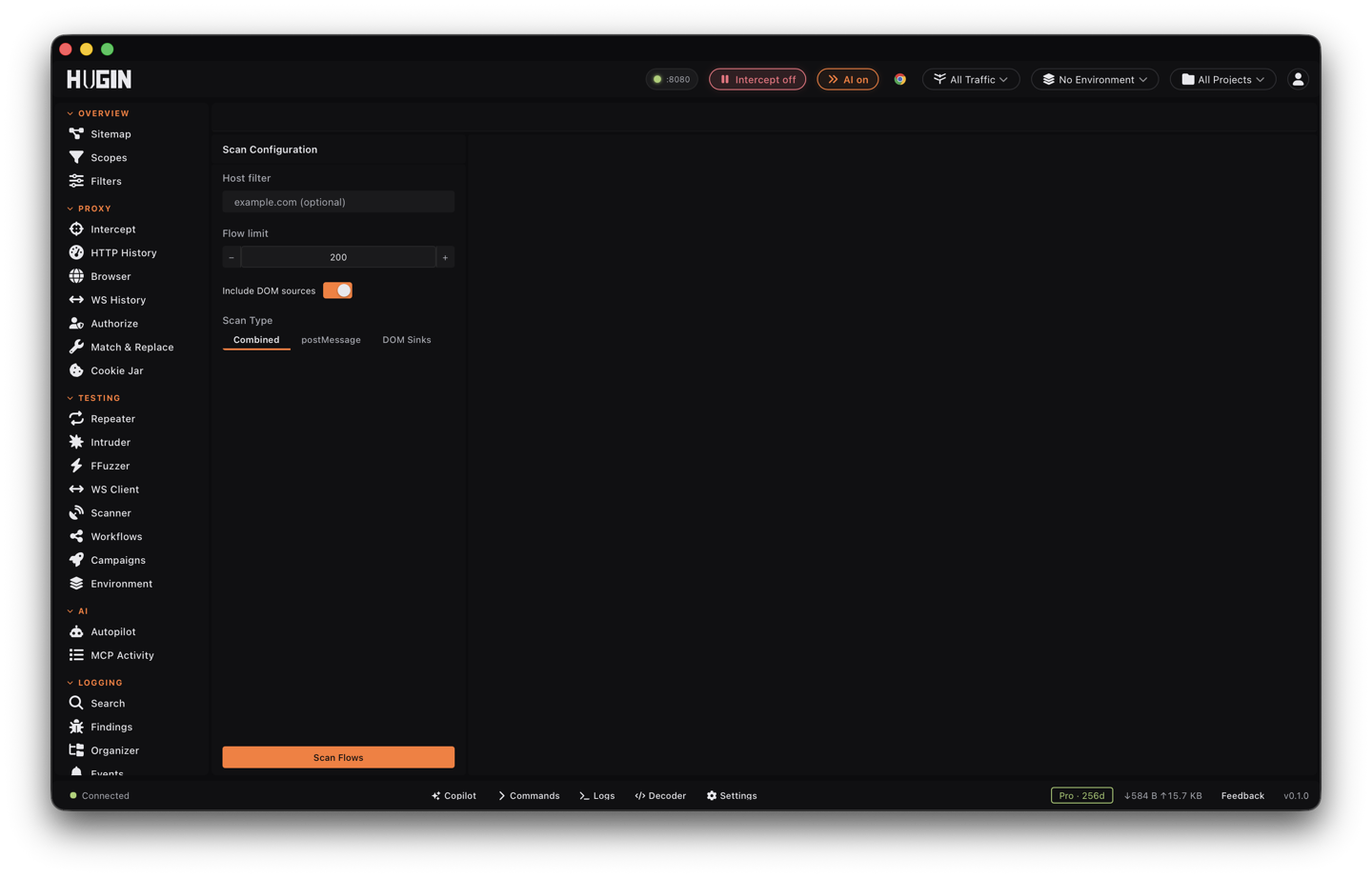
- Open Flow Analysis. Set a Host filter to focus one target, or leave it blank to scan everything in the project.
- Set the Flow limit — how many captured flows to read (200 by default, up to 1000).
- Leave Combined selected. It runs the postMessage and DOM checks in one pass; the DOM Sinks tab narrows to client-side sinks alone.
- Hit Scan Flows.
The toolbar shows an overall risk badge and an X/Y flows with findings count.
High-risk flows surface first, each with its flow ID, URL, and the reason it ranked.
Cut the noise
Most of the JavaScript on a page is framework and vendor code, and that's where a
naive grep for innerHTML drowns you. Flow analysis demotes or drops it:
- Library and minified bundle code — recognised by URL and by code signature — is skipped or knocked down to info, so a match inside React or a polyfill never outranks one in your target's own code.
- Internal message plumbing —
MessageChannelschedulers,Workeronmessagecallbacks, and consent-framework bridges (__tcfapi,__uspapi) — is filtered out. None of it is a cross-window handler, so it stays out of the postMessage results.
What's left is your target's own application code.
Where it fits
Flow analysis is static and per-response: it reads bodies you've already captured and never sends a request, which makes it the fast first pass before you spend active checks.
- Fill History first by browsing or crawling — Flow analysis only scans what's already captured.
- From Sitemap, right-click a host and choose Open in Flow Analysis to drop in with the host filter already set.
- Nerve is the server-side counterpart — it classifies the request parameters worth attacking, while Flow analysis reads the client-side JavaScript. Run both to cover input on each side.
This is the static, zero-traffic counterpart to the Scanner's active DOM-XSS checks — a fast sweep over everything you've captured to find where the client-side bugs likely live, before you fire active payloads to confirm them.