Findings
Where vulnerabilities collect — from the Scanner, plugins, or your own hand — with a triage workflow and export.
Findings is the register of everything worth reporting. The Scanner writes here, plugins and the browser runtime do too, and you can add your own by hand. The view is Community.
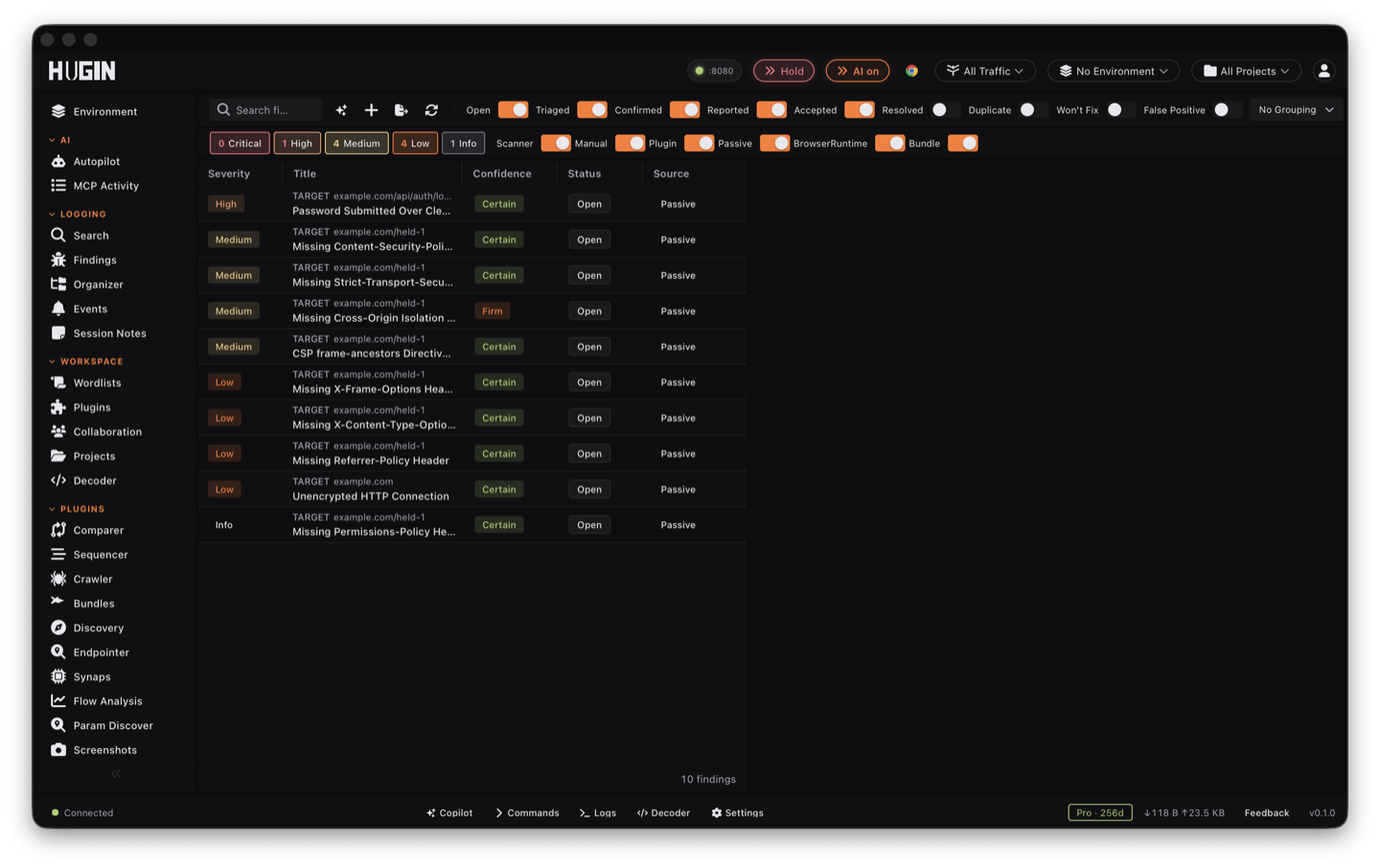
What a finding carries
Every finding carries a title and description, a severity (Critical, High, Medium, Low, Info), a confidence (Certain, Firm, Tentative, Speculative), and a source (Scanner, Passive, Manual, Plugin, or Browser runtime). It also carries its proof: the request and the response that triggered it, the insertion point that was injected, the matched bytes highlighted in both, plus Common Weakness Enumeration (CWE), Common Vulnerability Scoring System (CVSS), remediation, and references.
The proof travels with the finding. You read the exact request that fired the check and the response that confirmed it in the detail pane, without leaving the view. Attach more flows as evidence and apply tags when one request doesn't tell the whole story. Hugin dedupes as it writes: the same check on the same host at the same insertion point lands once, so a parameter fuzzed with 50 payloads is one finding, not 50.
Triage
Each finding moves through a status workflow with guided transitions: Open → Triaged → Confirmed → Reported → Accepted / Resolved, plus Duplicate, Won't fix, and False positive (terminal states can be reopened). Marking a finding a false positive records a suppression, so the same check won't re-raise it on the next scan.
Work a finding from the row context menu and the detail pane:
Flag a finding Verified once you have reproduced it, so confirmed bugs stand apart from the unchecked queue.
Re-run the single check that raised the finding against its original flow — fast confirmation that the bug is still live, without launching a full scan.
Dispatch a fresh scan for the finding and pull in anything new.
Pull the finding's host straight into scope so the rest of your testing stays inside it.
Override the severity, set a CVSS vector and score, and tag the row with a color
label or an analyst comment. The reporter field shows what raised it — a check id,
or user for a manual finding.
Show or hide columns to fit the table to the triage you are doing.
Filter by severity, status, and source, and search full-text across title, description, check id, notes, evidence, CWE, target URL, and reporter. Group by host, severity, type, status, or day. The list opens on your live queue — Resolved, Duplicate, Won't fix, and False positive are hidden until you tick them back on. Send a request from HTTP History into the findings queue, or add a finding by hand.
Reporting
Turn the queue into something you can hand off. Hugin's AI can weigh in too: triage a selected finding for a verdict, or draft its full report.
The toolbar Export button downloads the findings as JSON, redacted by default — Authorization, Cookie, Bearer, and X-API-Key bytes are stripped, so you never ship live session credentials in a submission.
Render the findings as a styled HTML report, a Markdown report, or Static Analysis Results Interchange Format (SARIF) 2.1.0 — the last one drops straight into a continuous-integration (CI) code-scanning gate. The AI agent generates these over MCP, or you pull them from the REST API.
Draft Report with AI writes a submission draft for the selected finding: title, description, proof of concept (PoC), impact, remediation, and a CVSS vector and score. Save CVSS writes the score back onto the finding; Refine in Copilot hands the draft to the Copilot to sharpen.
There is no submit-to-YesWeHack button in this view. The bounty handoff lives in the YesWeHack program browser (Pro), and Authorize sends its access-control results there too.
A finding is a starting point, not a verdict. Open its proof flow in HTTP History, send that flow to Repeater, reproduce the bug, then mark the finding Confirmed.